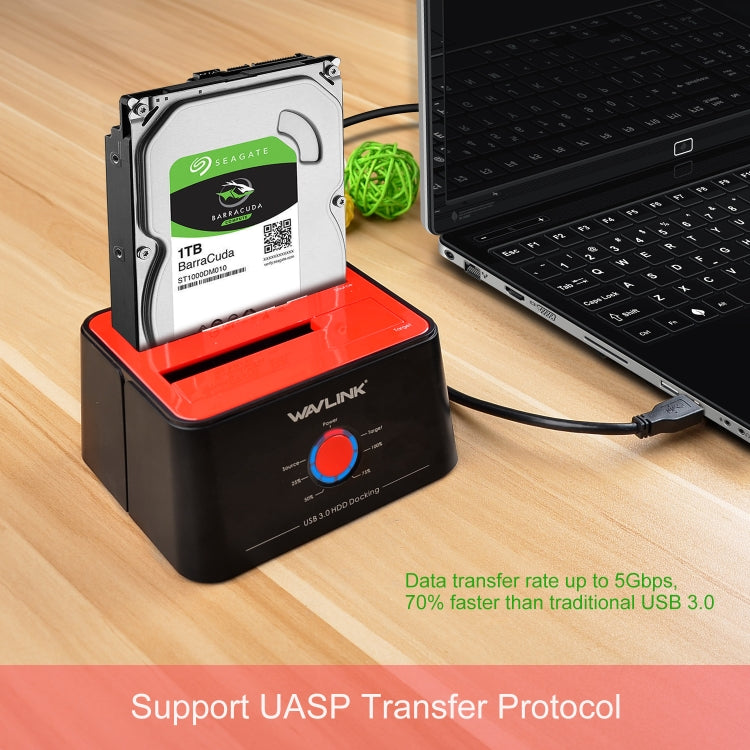
Wavlink ST334U SSD Dual Bay External Hard Drive Docking Station USB 3.0 to SATA I/II/III(EU Plug)
Wavlink ST334U SSD Dual Bay External Hard Drive Docking Station USB 3.0 to SATA I/II/III(EU Plug)
Sale
Sold out
Pre-order
Regular price
R 1,069.00
Regular price
Sale price
R 1,069.00
Unit price
per
Available to order
Processing time: 1-3 days
Couldn't load pickup availability
Estimated delivery: 6-13 working days
Ships from China (Standard) • Import Taxes & Duties Included
Description
The Wavlink ST334U SSD Dual Bay External Hard Drive Docking Station is designed for data transfer and storage. It allows users to connect and access two 2.5 inch or 3.5 inch SATA HDDs or SSDs simultaneously for efficient data management.
- Product Type: External Hard Drive Docking Station
- Compatibility: SATA I/II/III HDD/SSD
- Material: Plastic
- Color: Black
- Data Transfer Rate: Up to 5Gbps with USB 3.0 SuperSpeed
- Backward Compatibility: USB 2.0 and 1.1
- Power Supply: 12V, 3A DC power source
- Power Control: Built-in power control switch
- Energy Saving: Automatic sleep mode after 30 minutes of inactivity
- Installation: Tool-free installation on Windows Vista / 7 / 8 / 10, Mac OS X 10.2 to 10.10
- Hot-Swappable: Supports hot-swapping and plug and play
- Package Includes: 1x USB 3.0 HDD SATA Docking Station, 1x USB 3.0 Cable, 1x 12V/3A Power Adapter, 1x Manual
- Maximum Capacity: Supports 2 x 12TB Hard Drives
- Cloning Function: Supports backup and offline clone function
- LED Indicators: Power (x1), HDD (x2), Clone (x4)
- Chipset: JMS561U
- Warnings: Ensure drives are free of bad sectors to avoid errors; target disk capacity must be equal or larger than source disk; do not insert or withdraw drives while in use; backup files before cloning; power off before removing drives.
Questions about features, compatibility, or warranty? Chat with our local support team!